

Table of Contents
How Much Do Ergonomics Matter for Repetitive Strain Injury Recovery?
By Dr. Matthew Hwu, PT, DPT, OCS, CSCS·September 3, 2026
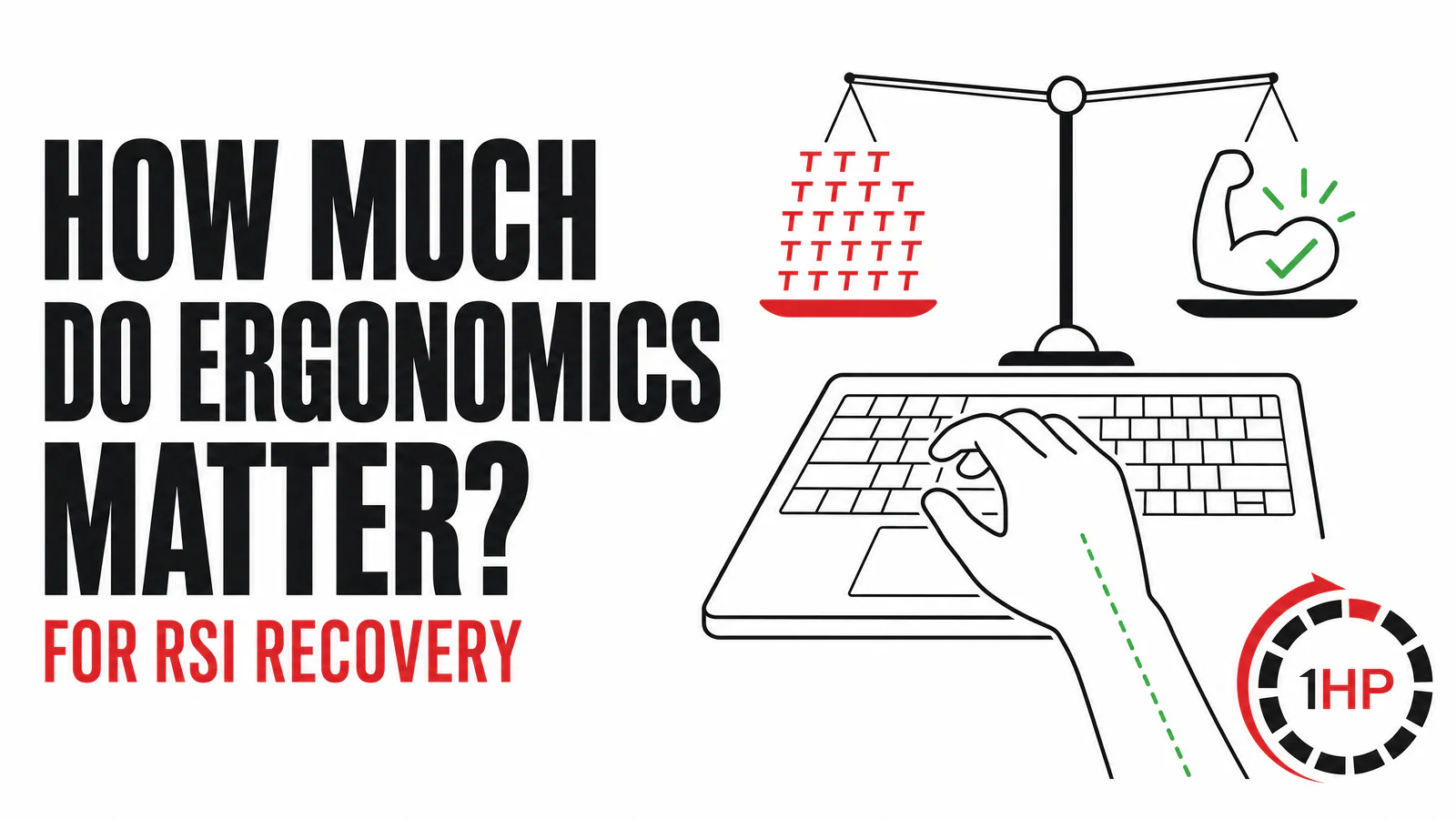
If you are searching for a better keyboard, a vertical mouse, or a way to make typing less painful, it is reasonable to start with your setup. Ergonomics and RSI are connected. Your keyboard, mouse, desk height, and work habits can change how much stress reaches your wrists and forearms during each click and keystroke. However, ergonomics are usually one part of repetitive strain injury recovery, not a standalone cure.
A more adjustable setup may make work feel easier in the short term. It may also help you keep a more comfortable wrist position or reduce the load on an irritated area. Yet durable recovery often requires a broader plan: managing total task demand, building the capacity of the muscles you use, and learning how to progress activity without fear or repeated boom-and-bust cycles.
This article explains how much ergonomics matter, what they can and cannot do, and how to make better choices without treating equipment as a magic solution.
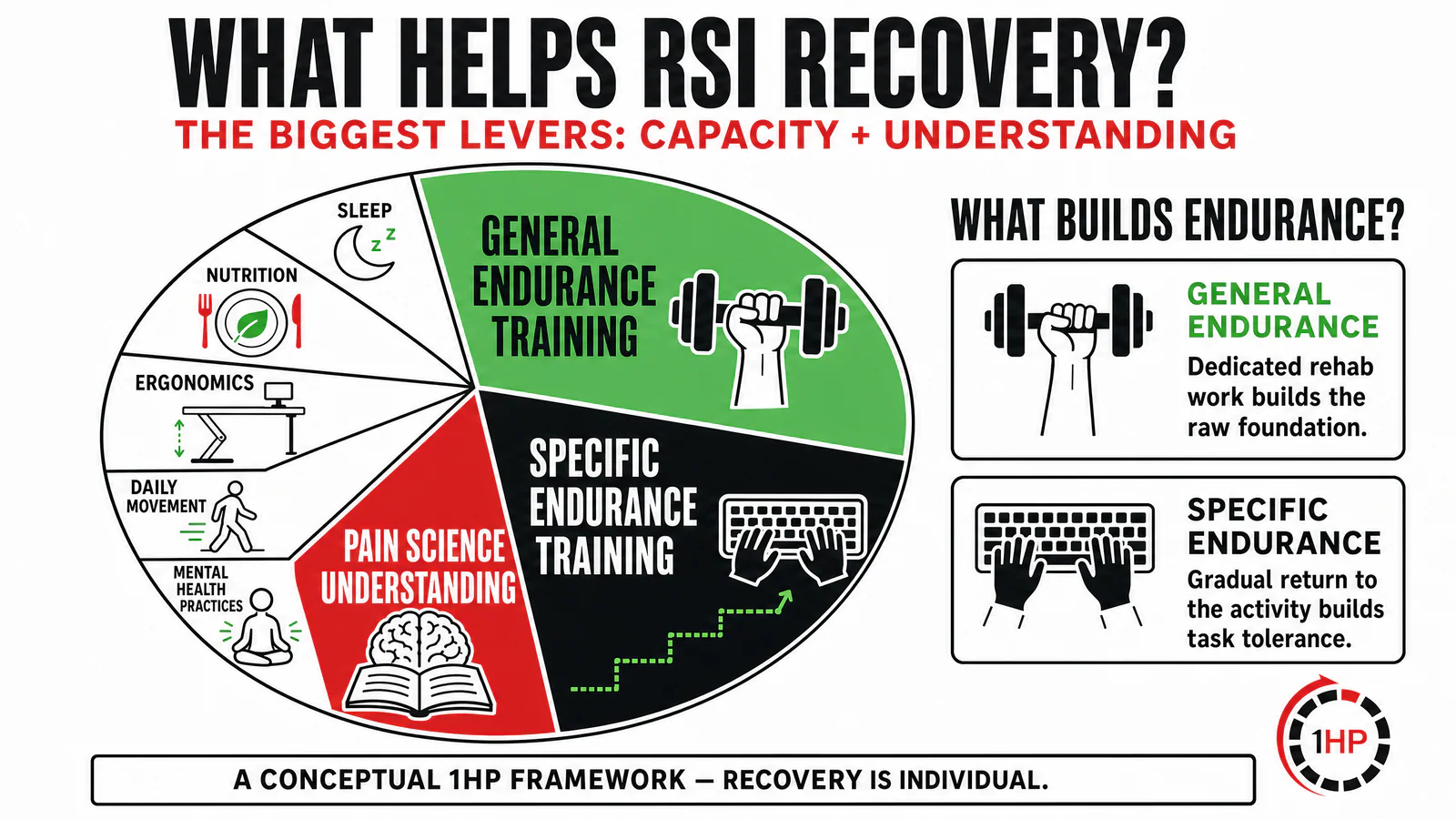
This conceptual 1HP framework shows why general and specific endurance training, plus pain science understanding, deserve major attention alongside other recovery supports.
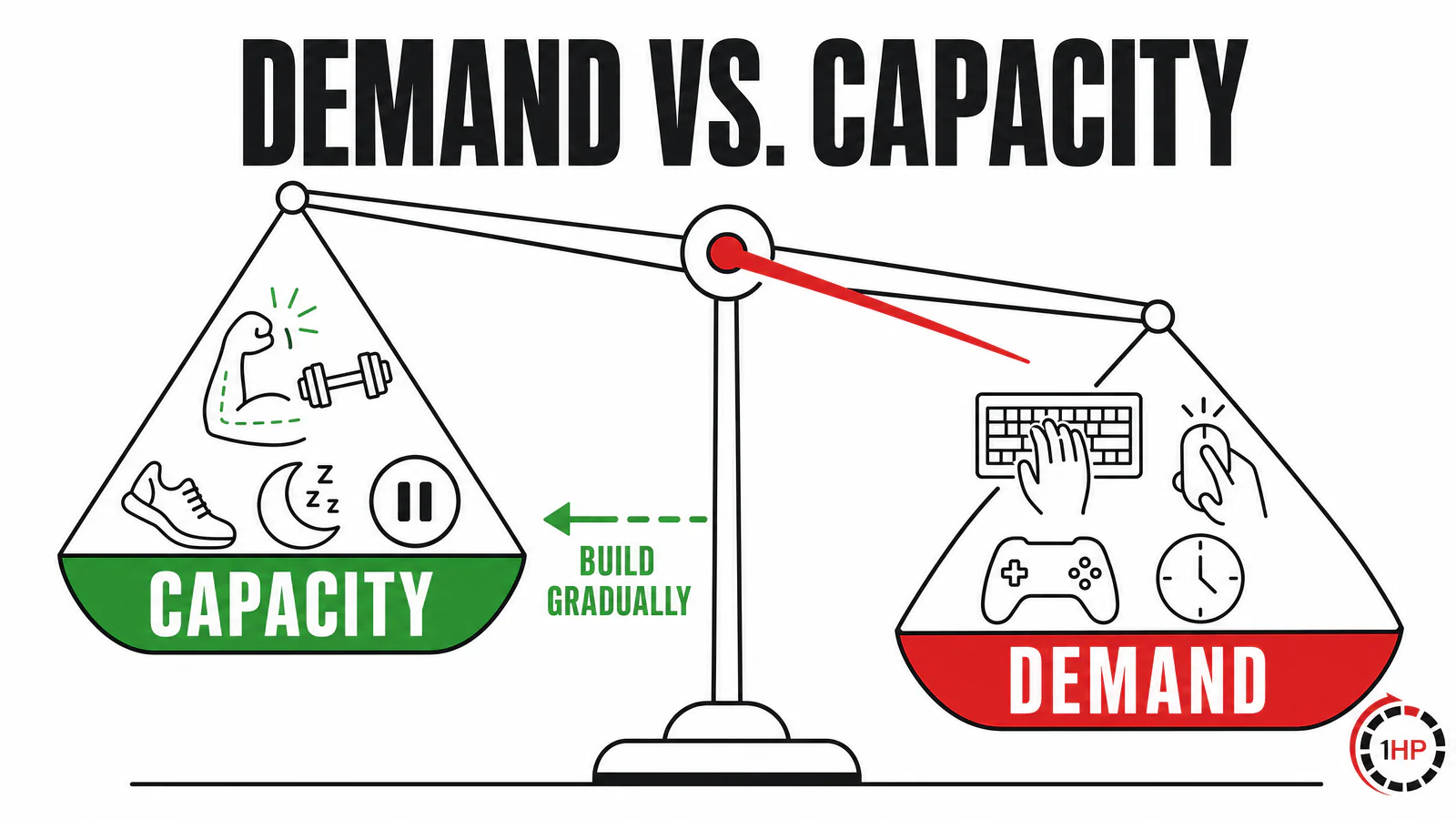
Recovery planning works best when you consider both the work demand placed on your hands and the capacity you have built to handle it.
Ergonomics and RSI: A Demand-versus-Capacity View
A useful way to think about repetitive strain injury recovery is through demand versus capacity. Demand is the total stress that a task places on your body. Typing, coding, gaming, drawing, clicking, piano practice, and phone use can all add demand. Capacity is your present ability to tolerate that demand, including muscular endurance, recent activity exposure, sleep, recovery time, and other personal factors.
For example, a demanding two-hour work sprint may add far more stress than a short email session. A long day of programming without breaks adds more. If the total demand regularly outpaces capacity, symptoms can become more likely or harder to settle. This does not mean every symptom signals tissue damage. It means that a thoughtful plan should look at the whole workload instead of only one device.
Ergonomics and RSI meet at the demand side of that equation. A vertical mouse, a split keyboard, a keyboard with shorter key travel, better arm support, or voice input may reduce stress per unit of time for some people. They can also redistribute stress. For instance, a device that asks less from the wrist extensors may ask more from the thumb, fingers, shoulder, or voice. The goal is not to remove all stress. It is to use stress in a way that fits your current capacity and recovery plan.
How Much Can Ergonomic Equipment Help?
Ergonomic equipment can be useful, especially when it makes a task more adjustable or lets you find a less provocative position. An arm support or an alternative mouse may help some users. Shorter, planned breaks may also reduce discomfort for data-entry workers. Still, the research does not support a simple promise that one device will prevent or resolve every upper-limb problem. A Cochrane review of office-worker trials found mixed evidence for several physical ergonomic interventions, and it emphasized that more high-quality research is needed.1
That is why a $1,000 keyboard can feel helpful without addressing every driver of pain. The improvement may be real, but it may reflect a lower short-term workload, a new break routine, a change in schedule, concurrent exercise, or natural variation in symptoms. The sensible conclusion is not that ergonomics are useless. It is that ergonomics and RSI recovery should be approached as a system.
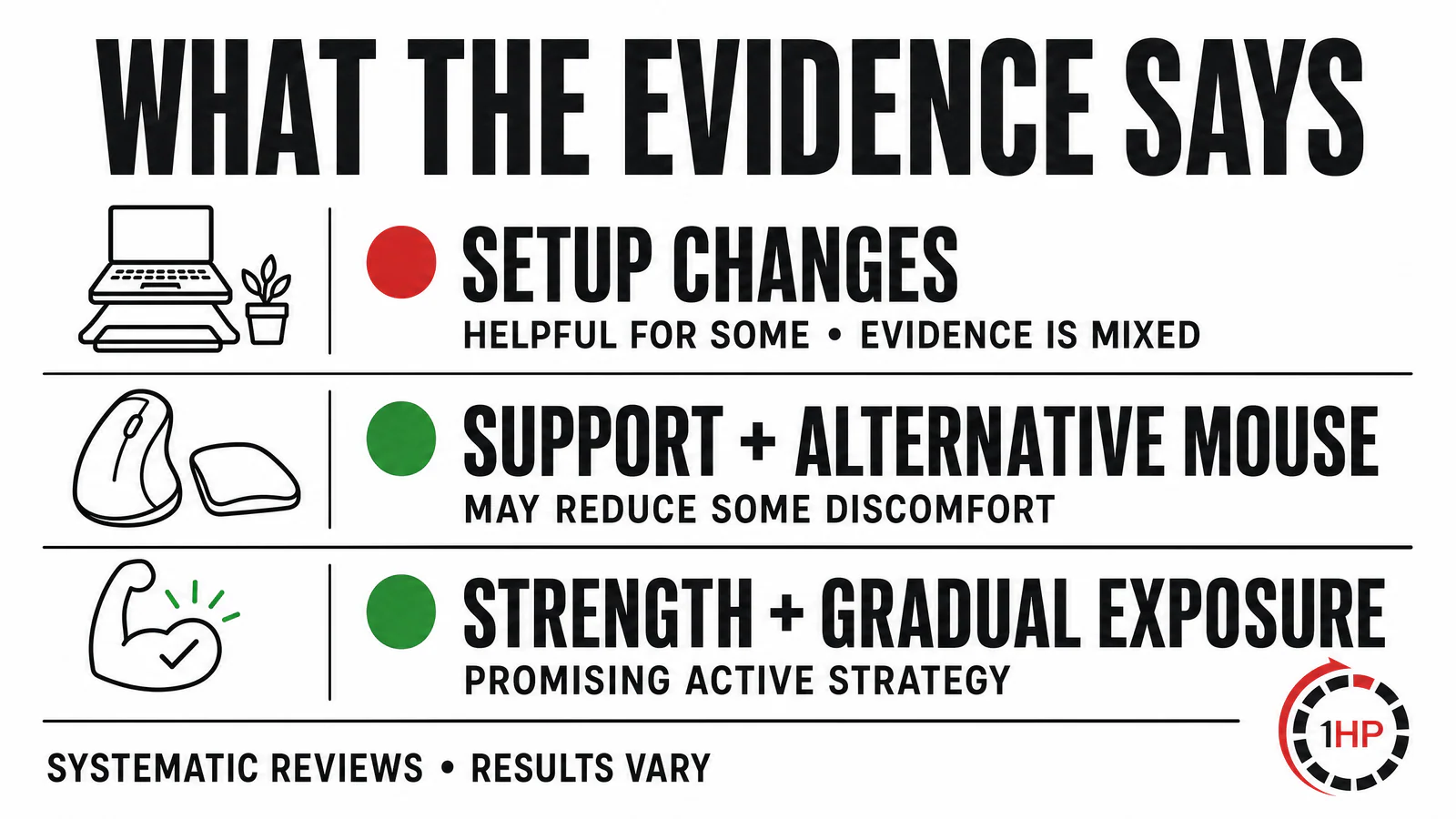
Published office-worker evidence is mixed: some combined support-and-mouse approaches may help, while many single setup changes have uncertain effects.
Why Exercise and Activity Matter Alongside Setup Changes
Changing a workstation does not automatically build endurance in the forearm, hand, neck, shoulder, or trunk. If you have not prepared for a task, the task can still exceed your present capacity even when the setup is excellent. The marathon analogy is helpful: running a marathon tomorrow after years without training is very different from building toward it with a gradual plan. Computer work feels lighter, but small actions repeated for long periods can still create a meaningful workload.
Evidence supports including active strategies. A systematic review and meta-analysis found moderate-quality evidence that workplace strengthening exercise and general fitness training reduced neck pain in symptomatic office workers; targeted strengthening had the larger effect in that review.2 Another systematic review of workplace exercise trials reported promising results but noted that most included studies had a high risk of bias.3 The practical message is modest but important: exercise and graded exposure are useful tools, not guarantees, and they belong beside ergonomic adjustments rather than beneath them.
The location of symptoms can help guide the discussion. Discomfort may be felt in the hand, wrist, forearm, elbow, shoulder, or neck, and different tissues can be challenged by different task patterns. The goal is not to self-diagnose from a diagram. It is to identify the activities, positions, and workloads that need a more specific plan.
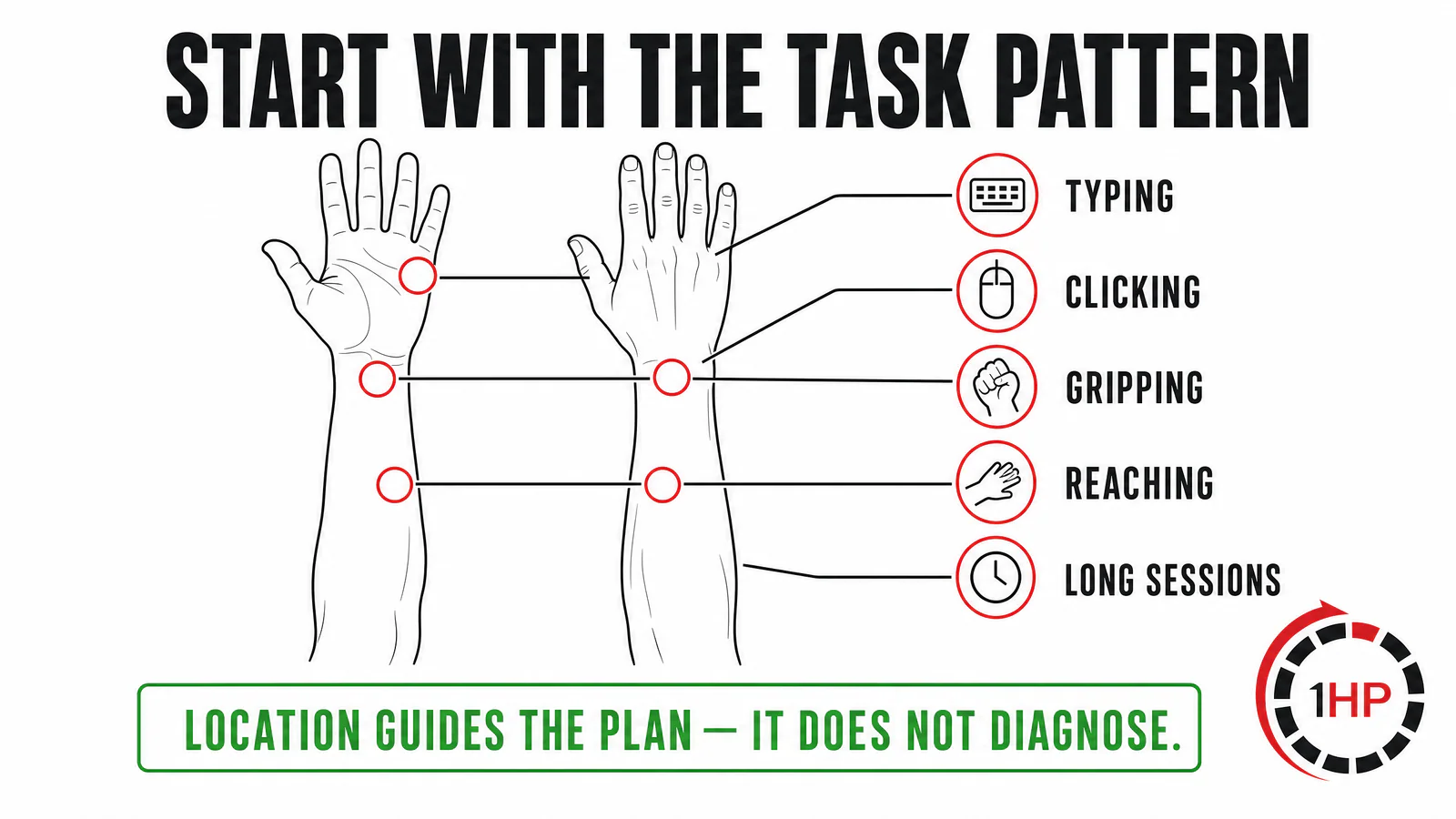
Symptom location and task pattern can help shape a more specific RSI recovery plan.
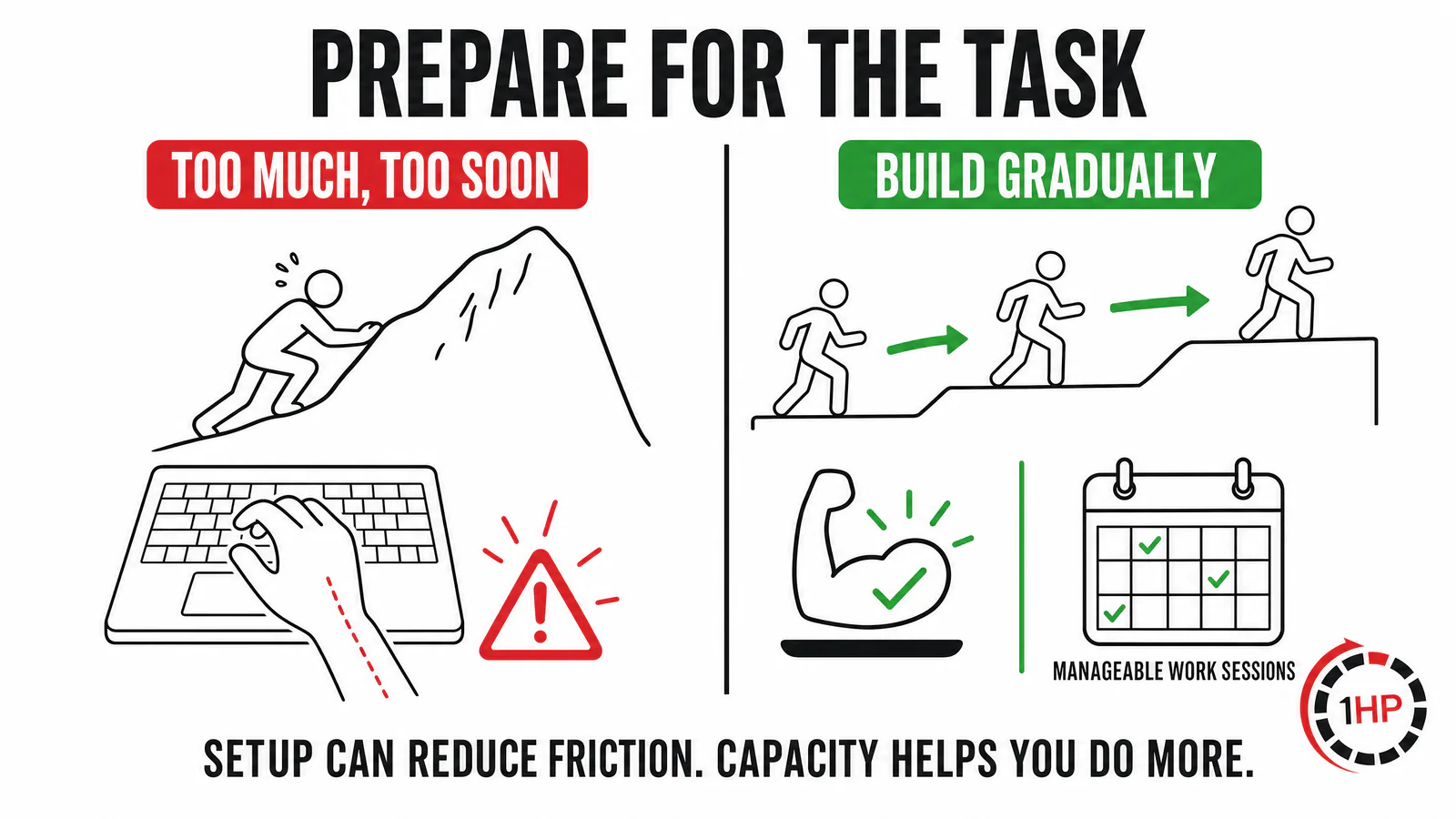
Like preparation for a long run, gradual conditioning can help your body tolerate the tasks you need to do.
Keyboard Ergonomics: What to Adjust First
When reviewing ergonomics and RSI, begin with the position you can sustain comfortably—not with a rule that demands perfection. A neutral wrist position is often a useful starting point. From a top-down view, aim to limit extreme side-to-side wrist deviation. From the side, avoid forcing the wrist into a deeply bent-back position for long periods. Small amounts of extension may be practical and normal; the important point is to avoid treating a narrow “perfect” angle as the only safe option.
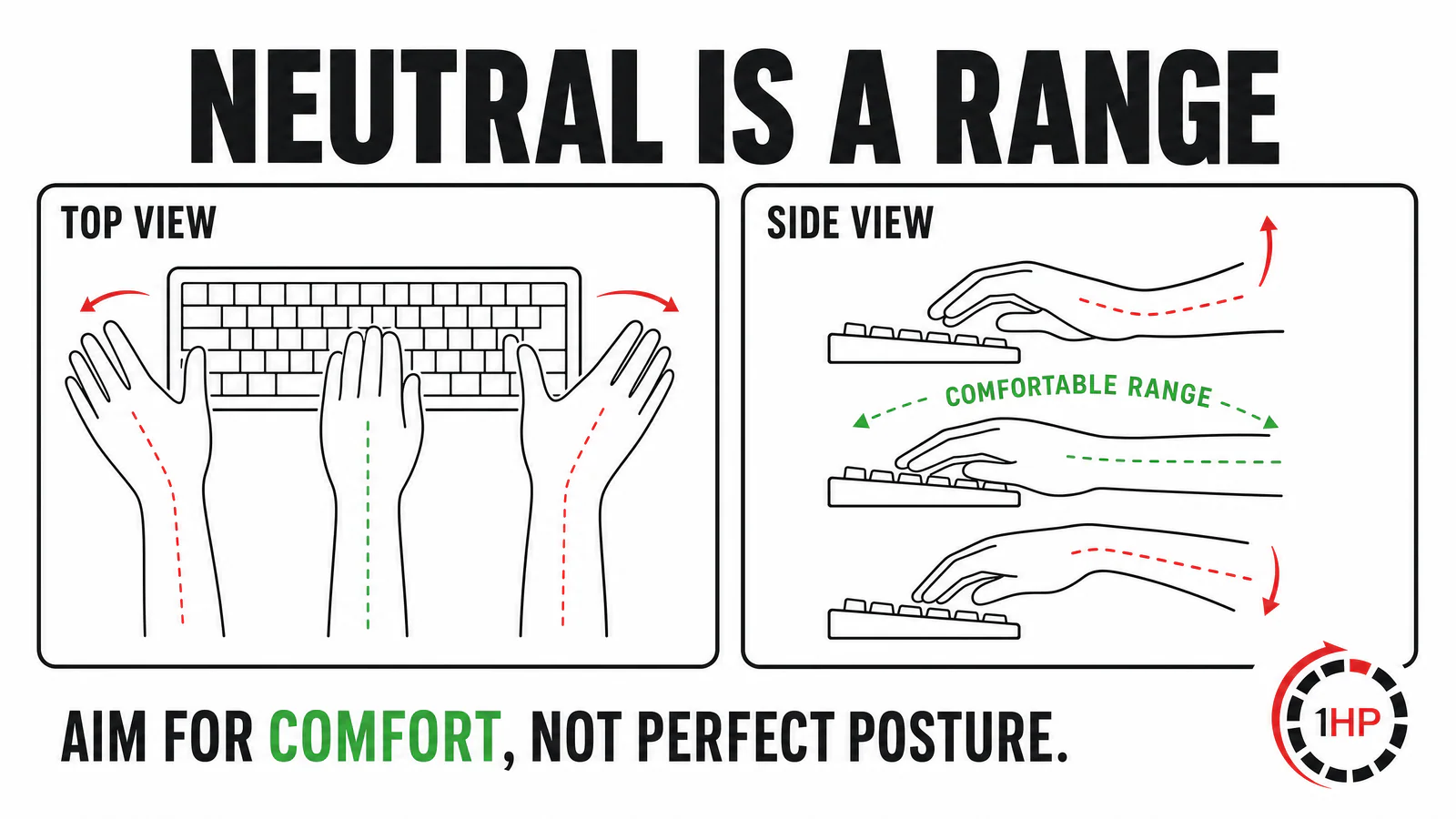
Neutral is a comfortable range, not one exact pose. Use the position that lets you type with the least unnecessary strain.
Desk height, chair armrests, keyboard height, key placement, and limited desk space can all affect wrist position. If your keyboard does not allow a textbook-neutral angle, that does not mean you are causing harm. It is a cue to examine the bigger picture: task volume, breaks, conditioning, and whether a more adjustable arrangement would make your work easier.
Split keyboards and tenting
Split keyboards can give some people more options. Separating the two halves may allow a hand position that better matches shoulder width. Tenting can alter forearm rotation, while adjustable tilt and palm support can help you experiment with comfort. These features are not a cure, but they can be a useful ergonomic boost when a standard board locks you into a poor fit.
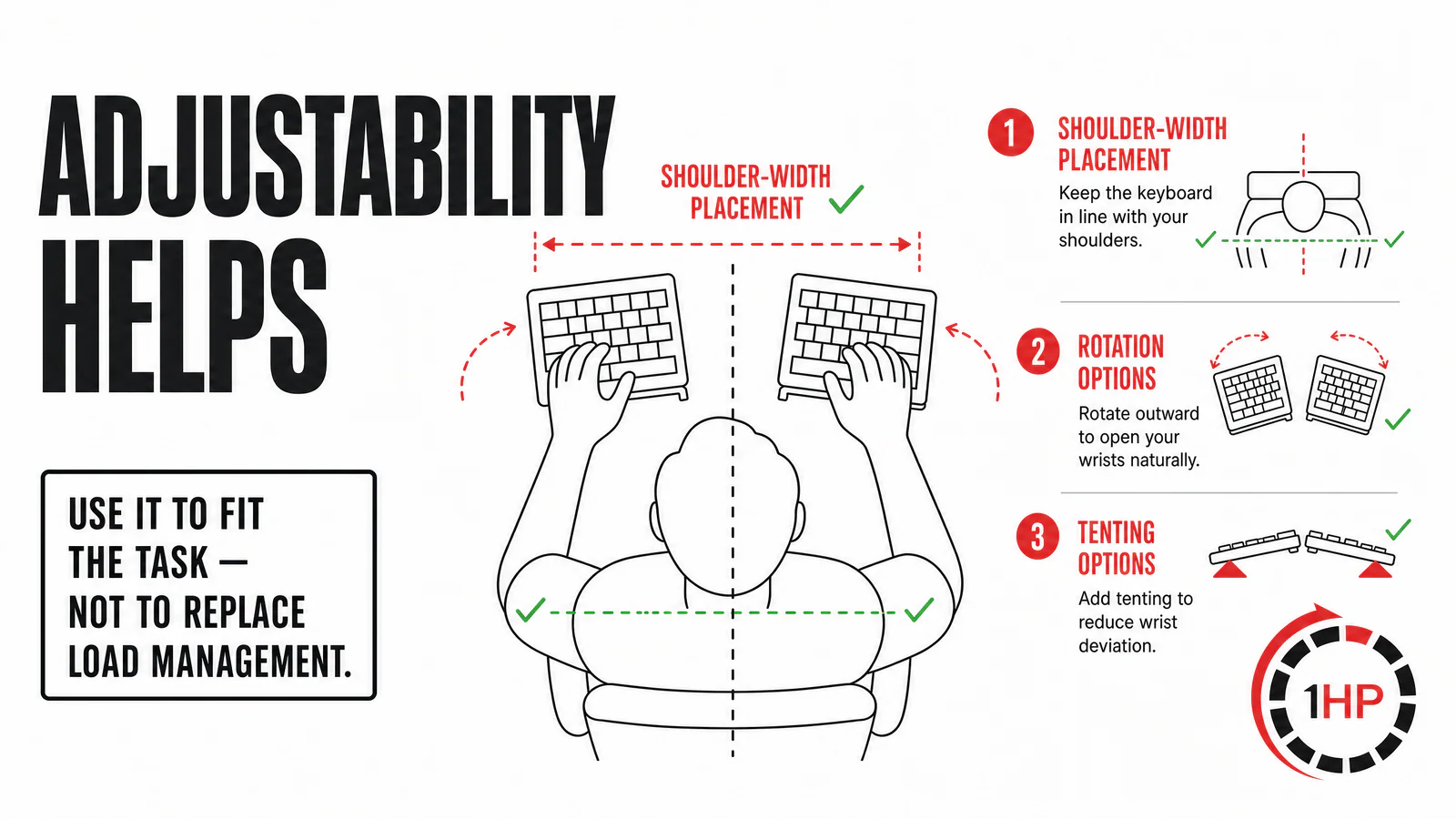
Adjustability can help you fit a keyboard to your body and task, but it does not replace load management or conditioning.
Key travel, binds, and task design
Keyboard features can also change movement demands. Shorter key travel, macros, remapped binds, and layouts that reduce awkward reaches may lower the amount of work required for a given task. For gaming, frequently used binds can concentrate stress in a particular finger or side of the hand. For coding or writing, uninterrupted high-volume sessions may matter more than the brand of keyboard.
Consider ergonomics as a way to improve efficiency and distribute load, then pair it with task design. Break large sessions into blocks. Use natural pauses to move or stretch. Increase high-demand activities gradually. If you are changing hardware, change one variable at a time so you can tell what is actually helping.
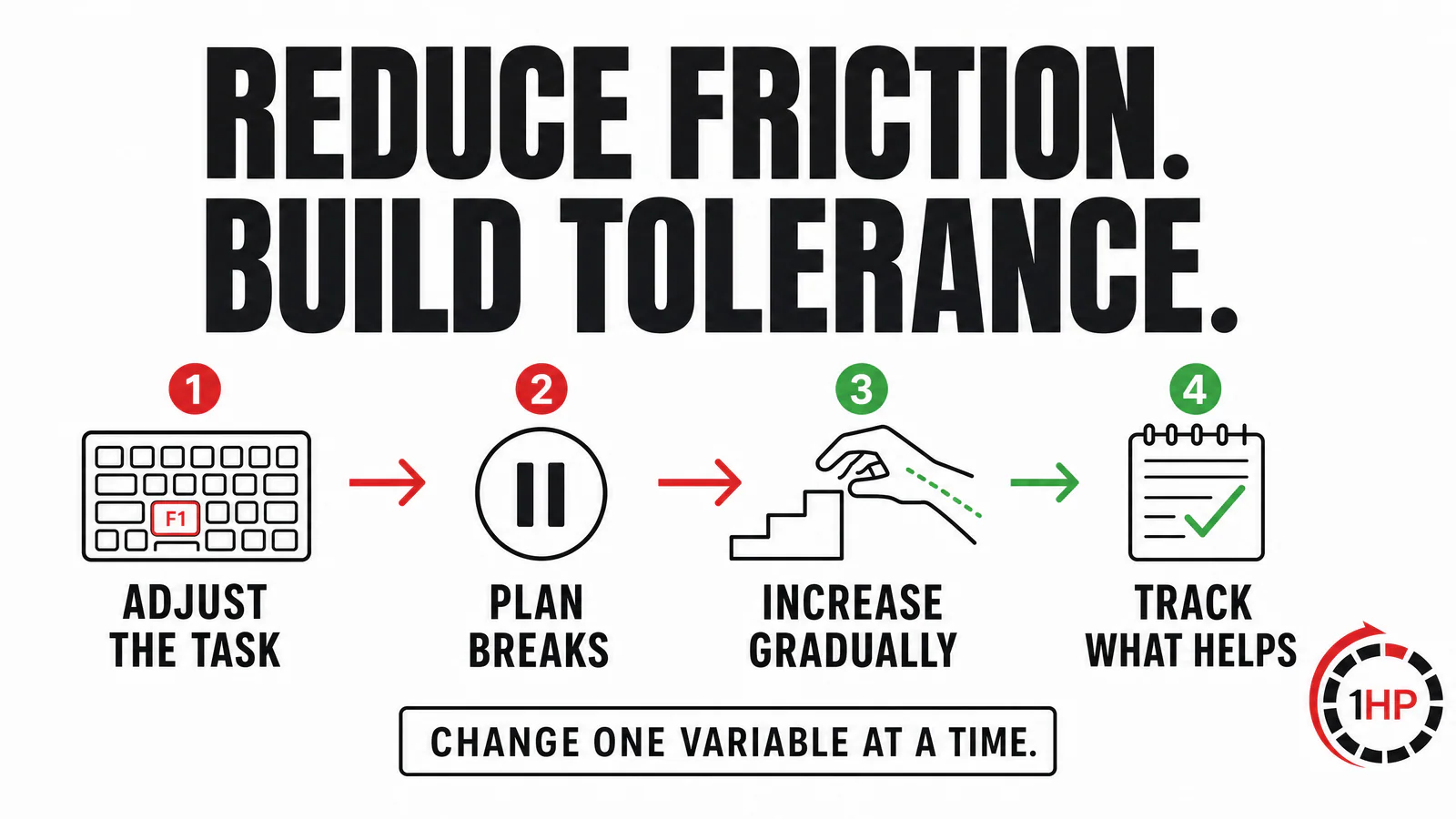
Device choices are most useful when paired with practical changes to work pace, task exposure, and recovery time.
Why Ergonomic Marketing Can Be Misleading
People often focus on equipment because it is visible, concrete, and easy to buy. Marketing can reinforce the idea that a single product will “fix” pain. Testimonials can be sincere, but they rarely show the full context. A person may have changed their schedule, started exercising, slept better, taken a break from gaming, or simply had a symptom flare settle while using the new device.
There is also no single cause of every RSI presentation. A person may have increased their task load too quickly. Another may need more tolerance for a specific activity. Someone else may have become stuck in a cycle of repeated rest, fear of movement, and a very low activity baseline. A good plan is individualized. It should not blame posture, a keyboard, or the person.
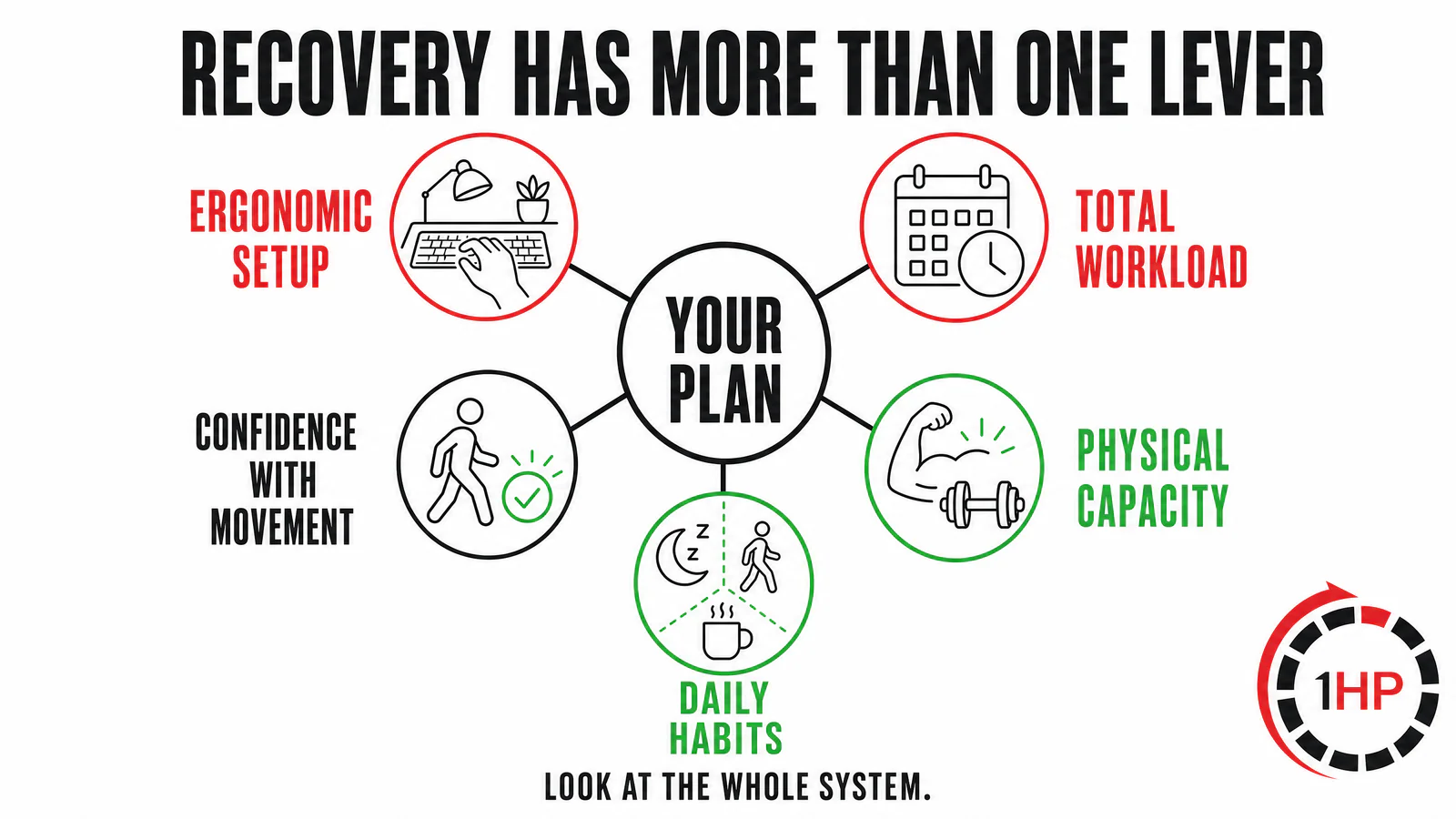
Ergonomic setup is one recovery lever among workload, capacity, habits, and confidence with movement.
A Practical Ergonomics and RSI Recovery Checklist
Start with the simplest changes that reduce obvious friction. Raise or lower the keyboard if your wrists are held at an uncomfortable angle. Move the mouse closer. Use an armrest or forearm support if it helps. Consider a vertical mouse, split board, tenting, or alternative input when it makes your actual work easier. Then look beyond the desk.
Estimate your total hand and arm demand across work, gaming, music, drawing, and phone use.
Plan short, regular movement breaks rather than waiting for severe symptoms.
Build tolerance through an individualized exercise and graded-exposure plan when appropriate.
Increase high-volume typing or gaming in manageable steps instead of testing your limits every day.
Track which change actually improves comfort or function before buying another product.
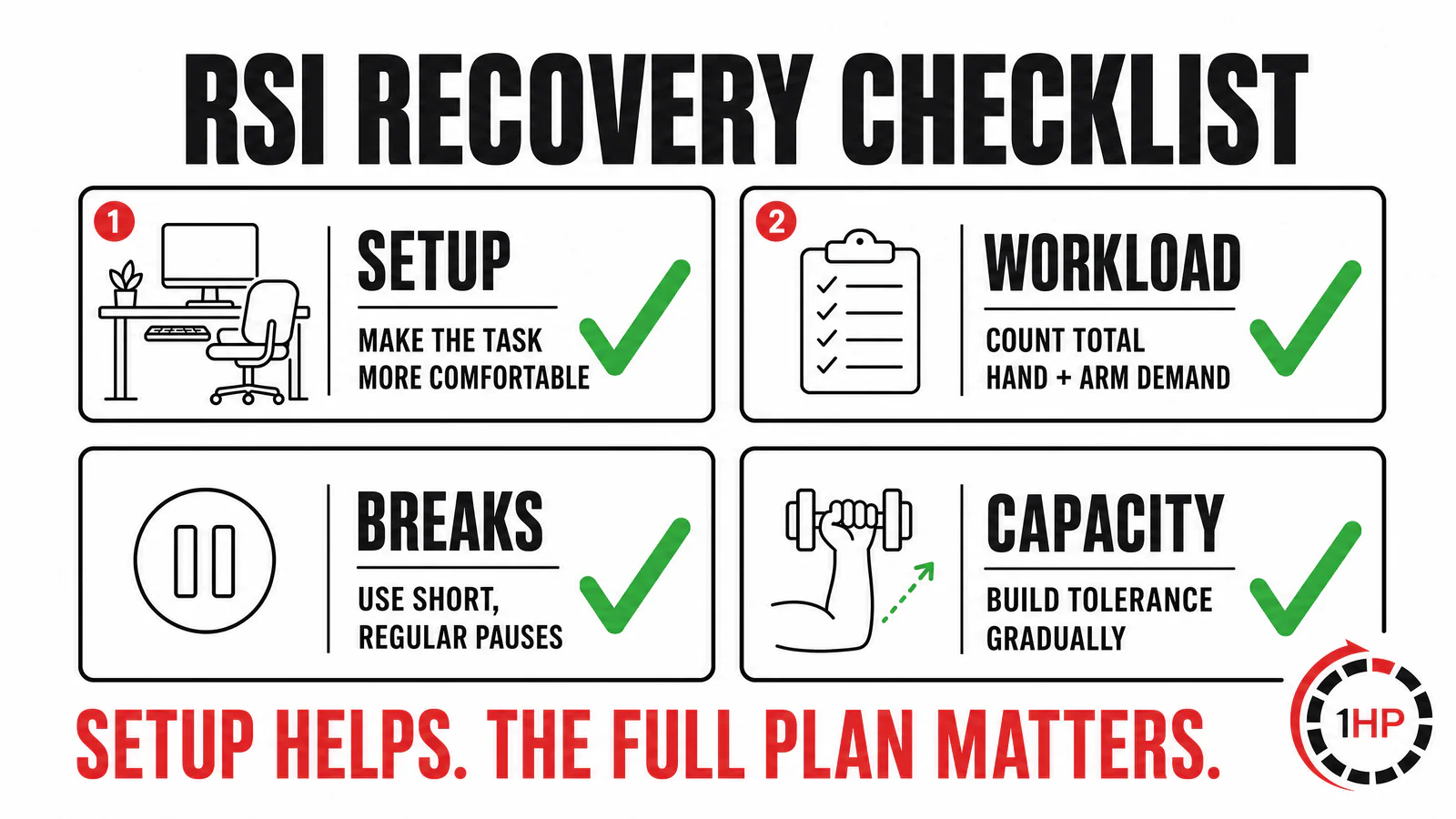
Use setup changes to reduce unnecessary strain, then build the ability to do the activities that matter to you.
For a more detailed discussion of mouse setup, see our previous post on mouse-related ergonomics. Gamers can also explore the Healthbar Framework for a broader model of performance and capacity.
Have You Already Tried Multiple Ergonomic Fixes?
If you have bought a vertical mouse, split keyboard, wrist rest, or other ergonomic equipment and still cannot work, game, create, or type with confidence, it may be time to look beyond the next product. Ergonomics can lower unnecessary strain and make tasks more comfortable. But when symptoms keep returning, equipment alone may not address the factors that determine how much work your hands and arms can tolerate.
The same is true if you have already seen several doctors, therapists, or specialists and still feel that you have no clear plan. Imaging may not always explain why a task is difficult, and a normal scan does not make your symptoms any less real. Repeated rounds of rest, isolated treatments, or another hardware purchase can leave you stuck in the same cycle of worry, avoidance, and short-term changes without a path back to the activities that matter.
A whole-system approach to RSI recovery
At 1HP, we help people move past isolated fixes by looking at the complete picture: the specific tasks that trigger symptoms, total work and play demand, physical capacity, day-to-day habits, and the beliefs that shape how confidently someone can use their hands. Our approach focuses on building general endurance through dedicated rehabilitation work, building specific endurance through a gradual return to the activities you need to do, and developing a practical understanding of pain and flare-ups.
That does not mean ignoring your setup. It means putting ergonomic changes in the right place. A better mouse, keyboard, desk arrangement, or input method can be a valuable part of the plan when it reduces friction. The longer-term goal is to build the capacity and confidence to use the tools you need, rather than needing to keep searching for a perfect device.
What to expect from a free 60-minute consultation
During a free 60-minute consultation, our team will review your pain journey, the tasks you want to return to, the approaches you have already tried, and the patterns that may be keeping you stuck. You will get a clearer view of the 1HP framework and an honest discussion of whether our coaching approach is the right fit for your situation.
If you are tired of collecting ergonomic equipment, bouncing between appointments, or limiting the work and hobbies you value, book your free consultation today. The goal is not to find another quick fix. It is to build a clear, individualized path toward doing more with less fear and fewer limitations.
Further Reading
The author’s work and original references include the Journal of Orthopedic & Sports Physical Therapy, Tendinopathies in Gaming, Conditioning for Esports (Ch. 8, 9, 10), and Science of Esports Physical Therapy. For related 1HP discussions, see whether to float your wrists while typing, how the healthcare system can delay recovery, the 1HP website, and the original free consultation page.
Medical Disclaimer
This article is for education only and is not a diagnosis or a substitute for individualized medical advice. Seek timely assessment from a qualified clinician for severe, progressive, traumatic, or unexplained symptoms, including worsening weakness, numbness, loss of coordination, or significant changes in function.